




Advertisement

Subscribe to INVBAT.COM -AI + CHATBOT
Get personal memory assistant and augmented intelligence on demand using many devices


Advertisement
How do you like the idea of NOT saying " Oh I forgot, let me get back to you. "

NAEP Map

Advertisement


INVBAT.COM - AI revolutionizing education and how to remember using augmented intelligence.


ASK WHAT YOU NEED USING VOICE OR TEXT
search pattern instruction

Try typing or saying I need the quadratic formula
Try typing or saying get me the quadratic formula
Try typing or saying show me the quadratic formula


Enter your search. Then click fewer click search button

If nothing is found probably because you are not a subscriber.
Try our subscription.


ASK WHAT YOU NEED. TRY I NEED QUADRATIC EQUATION
AI Natural Language Query makes one click search now possible

Enter your access code above or ask what you need


INVBAT.COM - A.I. + CHATBOT voice search for formula , calculator, reviewer, work procedure and frequently asked questions (FAQ). It is useful immediately and on demand using your smartphone, notebook, tablet, laptop or desktop computer. Helping you to learn faster and 98% never forget.

INVBAT.COM - AI + CHATBOT is a personalized natural language search and information retrieval augmented intelligence service provider. We deliver immediate usefulness at affordable cost to our subscriber such as students, teachers, parents, and employees to help them remember what they stored in the cloud in one or fewer click using their smartphone, tablet, laptop, desktop computer, and smart tv.



Advertising rate $375 per year

Additional bonus if your school , community college, and university advertise, all your students and teachers will get free personal memory assistant chatbot for one month.


Advertise on this webpage. Use PayPal
After payment e-mail admin@invbat.com your advertising website link or your You Tube link and we will insert them on this webpage.


INVBAT.COM -A.I.
The Personal Memory Assistant Company

BECAUSE MOST OF US FORGET


AVAILABLE CALCULATOR FOR SUBSCRIPTION

Click here to advertise


Demo voice calculator


Available Advertising Spot
Bonus if your company advertise, all your employees will get
free personal chatbot for one month - click here.


How to use Python Python numpy and sklearn libraries
get me the tutorial Python numpy and sklearn libraries
show me the tutorial Python numpy and sklearn libraries


INVBAT.COM -A.I.
The Personal Memory Assistant Company

BECAUSE MOST OF US FORGET


AVAILABLE CALCULATOR FOR SUBSCRIPTION

import pandas as pd and numpy as np,

In [1]:
# Author : Apolinario (Sam) Ortega - founder of invbat.com-A.I + chatbot <admin@invbat.com)
# Date created: 6/13/2020

# license : BSD 3 clause
# Citation: kaggle.com    for Ames Housing datasets


# comment : Show me how to do analysis for Ames Housing datasets with 82 columns
# comment : Show me the first five rows of record the Ames Housing datasets has using .info() function

import pandas as pd
import numpy as np

ames_housing = pd.read_excel('/Users/invbat/projects/ameshousing.xlsx')
ames_housing.head()

# comment # Do shift + enter
Out[1]:
Order PID MS SubClass MS Zoning Lot Frontage Lot Area Street Alley Lot Shape Land Contour ... Pool Area Pool QC Fence Misc Feature Misc Val Mo Sold Yr Sold Sale Type Sale Condition SalePrice
0 1 526301100 20 RL 141.0 31770 Pave NaN IR1 Lvl ... 0 NaN NaN NaN 0 5 2010 WD Normal 215000
1 2 526350040 20 RH 80.0 11622 Pave NaN Reg Lvl ... 0 NaN MnPrv NaN 0 6 2010 WD Normal 105000
2 3 526351010 20 RL 81.0 14267 Pave NaN IR1 Lvl ... 0 NaN NaN Gar2 12500 6 2010 WD Normal 172000
3 4 526353030 20 RL 93.0 11160 Pave NaN Reg Lvl ... 0 NaN NaN NaN 0 4 2010 WD Normal 244000
4 5 527105010 60 RL 74.0 13830 Pave NaN IR1 Lvl ... 0 NaN MnPrv NaN 0 3 2010 WD Normal 189900

5 rows × 82 columns

In [2]:
# comment : Now , show me the last five records using .tail() function

ames_housing.tail()

# comment # Do shift + enter
Out[2]:
Order PID MS SubClass MS Zoning Lot Frontage Lot Area Street Alley Lot Shape Land Contour ... Pool Area Pool QC Fence Misc Feature Misc Val Mo Sold Yr Sold Sale Type Sale Condition SalePrice
2925 2926 923275080 80 RL 37.0 7937 Pave NaN IR1 Lvl ... 0 NaN GdPrv NaN 0 3 2006 WD Normal 142500
2926 2927 923276100 20 RL NaN 8885 Pave NaN IR1 Low ... 0 NaN MnPrv NaN 0 6 2006 WD Normal 131000
2927 2928 923400125 85 RL 62.0 10441 Pave NaN Reg Lvl ... 0 NaN MnPrv Shed 700 7 2006 WD Normal 132000
2928 2929 924100070 20 RL 77.0 10010 Pave NaN Reg Lvl ... 0 NaN NaN NaN 0 4 2006 WD Normal 170000
2929 2930 924151050 60 RL 74.0 9627 Pave NaN Reg Lvl ... 0 NaN NaN NaN 0 11 2006 WD Normal 188000

5 rows × 82 columns

In [3]:
# comment: Now,show me the table or data set information summary using .info() function
ames_housing.info()

# comment # Do shift + enter
# comment : Using the table information summary you can see quickly how many missing data for each fieldname or column
print('')
print('Alley fieldname has missing value of 2930 - 198 =')
2930-198
<class 'pandas.core.frame.DataFrame'>
RangeIndex: 2930 entries, 0 to 2929
Data columns (total 82 columns):
 #   Column           Non-Null Count  Dtype  
---  ------           --------------  -----  
 0   Order            2930 non-null   int64  
 1   PID              2930 non-null   int64  
 2   MS SubClass      2930 non-null   int64  
 3   MS Zoning        2930 non-null   object 
 4   Lot Frontage     2440 non-null   float64
 5   Lot Area         2930 non-null   int64  
 6   Street           2930 non-null   object 
 7   Alley            198 non-null    object 
 8   Lot Shape        2930 non-null   object 
 9   Land Contour     2930 non-null   object 
 10  Utilities        2930 non-null   object 
 11  Lot Config       2930 non-null   object 
 12  Land Slope       2930 non-null   object 
 13  Neighborhood     2930 non-null   object 
 14  Condition 1      2930 non-null   object 
 15  Condition 2      2930 non-null   object 
 16  Bldg Type        2930 non-null   object 
 17  House Style      2930 non-null   object 
 18  Overall Qual     2930 non-null   int64  
 19  Overall Cond     2930 non-null   int64  
 20  Year Built       2930 non-null   int64  
 21  Year Remod/Add   2930 non-null   int64  
 22  Roof Style       2930 non-null   object 
 23  Roof Matl        2930 non-null   object 
 24  Exterior 1st     2930 non-null   object 
 25  Exterior 2nd     2930 non-null   object 
 26  Mas Vnr Type     2907 non-null   object 
 27  Mas Vnr Area     2907 non-null   float64
 28  Exter Qual       2930 non-null   object 
 29  Exter Cond       2930 non-null   object 
 30  Foundation       2930 non-null   object 
 31  Bsmt Qual        2850 non-null   object 
 32  Bsmt Cond        2850 non-null   object 
 33  Bsmt Exposure    2847 non-null   object 
 34  BsmtFin Type 1   2850 non-null   object 
 35  BsmtFin SF 1     2929 non-null   float64
 36  BsmtFin Type 2   2849 non-null   object 
 37  BsmtFin SF 2     2929 non-null   float64
 38  Bsmt Unf SF      2929 non-null   float64
 39  Total Bsmt SF    2929 non-null   float64
 40  Heating          2930 non-null   object 
 41  Heating QC       2930 non-null   object 
 42  Central Air      2930 non-null   object 
 43  Electrical       2929 non-null   object 
 44  1st Flr SF       2930 non-null   int64  
 45  2nd Flr SF       2930 non-null   int64  
 46  Low Qual Fin SF  2930 non-null   int64  
 47  Gr Liv Area      2930 non-null   int64  
 48  Bsmt Full Bath   2928 non-null   float64
 49  Bsmt Half Bath   2928 non-null   float64
 50  Full Bath        2930 non-null   int64  
 51  Half Bath        2930 non-null   int64  
 52  Bedroom AbvGr    2930 non-null   int64  
 53  Kitchen AbvGr    2930 non-null   int64  
 54  Kitchen Qual     2930 non-null   object 
 55  TotRms AbvGrd    2930 non-null   int64  
 56  Functional       2930 non-null   object 
 57  Fireplaces       2930 non-null   int64  
 58  Fireplace Qu     1508 non-null   object 
 59  Garage Type      2773 non-null   object 
 60  Garage Yr Blt    2771 non-null   float64
 61  Garage Finish    2771 non-null   object 
 62  Garage Cars      2929 non-null   float64
 63  Garage Area      2929 non-null   float64
 64  Garage Qual      2771 non-null   object 
 65  Garage Cond      2771 non-null   object 
 66  Paved Drive      2930 non-null   object 
 67  Wood Deck SF     2930 non-null   int64  
 68  Open Porch SF    2930 non-null   int64  
 69  Enclosed Porch   2930 non-null   int64  
 70  3Ssn Porch       2930 non-null   int64  
 71  Screen Porch     2930 non-null   int64  
 72  Pool Area        2930 non-null   int64  
 73  Pool QC          13 non-null     object 
 74  Fence            572 non-null    object 
 75  Misc Feature     106 non-null    object 
 76  Misc Val         2930 non-null   int64  
 77  Mo Sold          2930 non-null   int64  
 78  Yr Sold          2930 non-null   int64  
 79  Sale Type        2930 non-null   object 
 80  Sale Condition   2930 non-null   object 
 81  SalePrice        2930 non-null   int64  
dtypes: float64(11), int64(28), object(43)
memory usage: 1.8+ MB

Alley fieldname has missing value of 2930 - 198 =
Out[3]:
2732
In [4]:
# Comment: Now, show me missing value or NaN (Not a Number) information for whole data set using .isna() function
# comment: is the data not available? abbreviated as .isna = False if the data is available and True if not available.
ames_housing.isna()

# comment # Do shift + enter
Out[4]:
Order PID MS SubClass MS Zoning Lot Frontage Lot Area Street Alley Lot Shape Land Contour ... Pool Area Pool QC Fence Misc Feature Misc Val Mo Sold Yr Sold Sale Type Sale Condition SalePrice
0 False False False False False False False True False False ... False True True True False False False False False False
1 False False False False False False False True False False ... False True False True False False False False False False
2 False False False False False False False True False False ... False True True False False False False False False False
3 False False False False False False False True False False ... False True True True False False False False False False
4 False False False False False False False True False False ... False True False True False False False False False False
... ... ... ... ... ... ... ... ... ... ... ... ... ... ... ... ... ... ... ... ... ...
2925 False False False False False False False True False False ... False True False True False False False False False False
2926 False False False False True False False True False False ... False True False True False False False False False False
2927 False False False False False False False True False False ... False True False False False False False False False False
2928 False False False False False False False True False False ... False True True True False False False False False False
2929 False False False False False False False True False False ... False True True True False False False False False False

2930 rows × 82 columns

In [5]:
# comment : How many rows of data in Alley fieldname or column name  are missing ?
# alley_missingValue  = ames_housing["Alley"]

print('')
print('Alley Missing Value is 2930 - 198 = 2732')

alley_missingValue  = ames_housing["Alley"]
alley_missingValue

      
# comment # Do shift + enter                  
Alley Missing Value is 2930 - 198 = 2732
Out[5]:
0       NaN
1       NaN
2       NaN
3       NaN
4       NaN
       ... 
2925    NaN
2926    NaN
2927    NaN
2928    NaN
2929    NaN
Name: Alley, Length: 2930, dtype: object
In [6]:
# comment: I want the count of non missing missing row for all Ames Housing data set using .count() function

print('')
print('Count of available data for each column = '  )
ames_housing.count()

# comment # Do shift + enter
Count of available data for each column = 
Out[6]:
Order             2930
PID               2930
MS SubClass       2930
MS Zoning         2930
Lot Frontage      2440
                  ... 
Mo Sold           2930
Yr Sold           2930
Sale Type         2930
Sale Condition    2930
SalePrice         2930
Length: 82, dtype: int64
In [7]:
# comment : show me how to use the .shape method in Ames Housing data set
# comment : If I ask you how many records of data and how many columns the Ames Housing data set has? What is the best
# way to get the answer ? Answer you can use .shape . shape returns the tuple (now called rows of data , number of columns)
# You can also .info() function but it listed all fieldnames

print('')
print('Ames Housing Table has 2930 rows of data , 82 columns of fieldname '  )
ames_housing.shape

# comment # Do shift + enter
Ames Housing Table has 2930 rows of data , 82 columns of fieldname 
Out[7]:
(2930, 82)
In [8]:
# comment : show me how to use the .size method in Ames Housing data set
# comment : If I ask you how many records meaning rows x columns the Ames Housing data set has? What is the best
# way to get the answer ? Answer you can use .size - size returns the product of rows multiply by columns

print('')
print('Ames Housing Table size has 2930 rows x 82 columns = 240,260 data cells '  )
ames_housing.size

# comment # Do shift + enter
Ames Housing Table size has 2930 rows x 82 columns = 240,260 data cells 
Out[8]:
240260
In [9]:
# comment : show me how to use the .columns method in Ames Housing data set
# comment : If I ask you list all the names of columns (also called dimension or features) the Ames Housing data set has? 
# What is the best way to get the answer ? Answer you can use .columns - returns the list of all columns

print('')
print('Ames Housing Table has 82 columns also called field, features, or dimension  '  )
ames_housing.columns

# comment # Do shift + enter
Ames Housing Table has 82 columns also called field, features, or dimension  
Out[9]:
Index(['Order', 'PID', 'MS SubClass', 'MS Zoning', 'Lot Frontage', 'Lot Area',
       'Street', 'Alley', 'Lot Shape', 'Land Contour', 'Utilities',
       'Lot Config', 'Land Slope', 'Neighborhood', 'Condition 1',
       'Condition 2', 'Bldg Type', 'House Style', 'Overall Qual',
       'Overall Cond', 'Year Built', 'Year Remod/Add', 'Roof Style',
       'Roof Matl', 'Exterior 1st', 'Exterior 2nd', 'Mas Vnr Type',
       'Mas Vnr Area', 'Exter Qual', 'Exter Cond', 'Foundation', 'Bsmt Qual',
       'Bsmt Cond', 'Bsmt Exposure', 'BsmtFin Type 1', 'BsmtFin SF 1',
       'BsmtFin Type 2', 'BsmtFin SF 2', 'Bsmt Unf SF', 'Total Bsmt SF',
       'Heating', 'Heating QC', 'Central Air', 'Electrical', '1st Flr SF',
       '2nd Flr SF', 'Low Qual Fin SF', 'Gr Liv Area', 'Bsmt Full Bath',
       'Bsmt Half Bath', 'Full Bath', 'Half Bath', 'Bedroom AbvGr',
       'Kitchen AbvGr', 'Kitchen Qual', 'TotRms AbvGrd', 'Functional',
       'Fireplaces', 'Fireplace Qu', 'Garage Type', 'Garage Yr Blt',
       'Garage Finish', 'Garage Cars', 'Garage Area', 'Garage Qual',
       'Garage Cond', 'Paved Drive', 'Wood Deck SF', 'Open Porch SF',
       'Enclosed Porch', '3Ssn Porch', 'Screen Porch', 'Pool Area', 'Pool QC',
       'Fence', 'Misc Feature', 'Misc Val', 'Mo Sold', 'Yr Sold', 'Sale Type',
       'Sale Condition', 'SalePrice'],
      dtype='object')
In [10]:
# comment : show me how to use the .index method in Ames Housing data set
# comment : If I ask you list all the names of columns (also called dimension or features) the Ames Housing data set has? 
# What is the best way to get the answer ? Answer you can use .columns - returns the list of all columns

print('')
print('Ames Housing Table has total row record of 2,930  '  )
ames_housing.index

# comment # Do shift + enter
Ames Housing Table has total row record of 2,930  
Out[10]:
RangeIndex(start=0, stop=2930, step=1)
In [11]:
# comment : show me how to use the .select_dtypes method in Ames Housing data set
# comment : I want to review how many counts of columns have 'object' , dtypes : answer = 43 columns

print('')
print('Ames Housing Table has 43 "object" dtypes '  )
ames_housing.select_dtypes(include='object')

# comment # Do shift + enter
# comment : this count of object dtypes total was reported by default using .info()
Ames Housing Table has 43 "object" dtypes 
Out[11]:
MS Zoning Street Alley Lot Shape Land Contour Utilities Lot Config Land Slope Neighborhood Condition 1 ... Garage Type Garage Finish Garage Qual Garage Cond Paved Drive Pool QC Fence Misc Feature Sale Type Sale Condition
0 RL Pave NaN IR1 Lvl AllPub Corner Gtl NAmes Norm ... Attchd Fin TA TA P NaN NaN NaN WD Normal
1 RH Pave NaN Reg Lvl AllPub Inside Gtl NAmes Feedr ... Attchd Unf TA TA Y NaN MnPrv NaN WD Normal
2 RL Pave NaN IR1 Lvl AllPub Corner Gtl NAmes Norm ... Attchd Unf TA TA Y NaN NaN Gar2 WD Normal
3 RL Pave NaN Reg Lvl AllPub Corner Gtl NAmes Norm ... Attchd Fin TA TA Y NaN NaN NaN WD Normal
4 RL Pave NaN IR1 Lvl AllPub Inside Gtl Gilbert Norm ... Attchd Fin TA TA Y NaN MnPrv NaN WD Normal
... ... ... ... ... ... ... ... ... ... ... ... ... ... ... ... ... ... ... ... ... ...
2925 RL Pave NaN IR1 Lvl AllPub CulDSac Gtl Mitchel Norm ... Detchd Unf TA TA Y NaN GdPrv NaN WD Normal
2926 RL Pave NaN IR1 Low AllPub Inside Mod Mitchel Norm ... Attchd Unf TA TA Y NaN MnPrv NaN WD Normal
2927 RL Pave NaN Reg Lvl AllPub Inside Gtl Mitchel Norm ... NaN NaN NaN NaN Y NaN MnPrv Shed WD Normal
2928 RL Pave NaN Reg Lvl AllPub Inside Mod Mitchel Norm ... Attchd RFn TA TA Y NaN NaN NaN WD Normal
2929 RL Pave NaN Reg Lvl AllPub Inside Mod Mitchel Norm ... Attchd Fin TA TA Y NaN NaN NaN WD Normal

2930 rows × 43 columns

In [12]:
# comment : show me how to use the .select_dtypes method in Ames Housing data set
# comment : I want to review how many counts of columns have 'int64' , dtypes : answer = 28 columns
# comment : I want the list of fieldname or column with 'int64' dtypes.

print('')
print('Ames Housing Table has 28 "int64" dtypes '  )
ames_housing.select_dtypes(include='int64')

# comment # Do shift + enter
# comment : this count of int64 dtypes total was reported by default using .info()
Ames Housing Table has 28 "int64" dtypes 
Out[12]:
Order PID MS SubClass Lot Area Overall Qual Overall Cond Year Built Year Remod/Add 1st Flr SF 2nd Flr SF ... Wood Deck SF Open Porch SF Enclosed Porch 3Ssn Porch Screen Porch Pool Area Misc Val Mo Sold Yr Sold SalePrice
0 1 526301100 20 31770 6 5 1960 1960 1656 0 ... 210 62 0 0 0 0 0 5 2010 215000
1 2 526350040 20 11622 5 6 1961 1961 896 0 ... 140 0 0 0 120 0 0 6 2010 105000
2 3 526351010 20 14267 6 6 1958 1958 1329 0 ... 393 36 0 0 0 0 12500 6 2010 172000
3 4 526353030 20 11160 7 5 1968 1968 2110 0 ... 0 0 0 0 0 0 0 4 2010 244000
4 5 527105010 60 13830 5 5 1997 1998 928 701 ... 212 34 0 0 0 0 0 3 2010 189900
... ... ... ... ... ... ... ... ... ... ... ... ... ... ... ... ... ... ... ... ... ...
2925 2926 923275080 80 7937 6 6 1984 1984 1003 0 ... 120 0 0 0 0 0 0 3 2006 142500
2926 2927 923276100 20 8885 5 5 1983 1983 902 0 ... 164 0 0 0 0 0 0 6 2006 131000
2927 2928 923400125 85 10441 5 5 1992 1992 970 0 ... 80 32 0 0 0 0 700 7 2006 132000
2928 2929 924100070 20 10010 5 5 1974 1975 1389 0 ... 240 38 0 0 0 0 0 4 2006 170000
2929 2930 924151050 60 9627 7 5 1993 1994 996 1004 ... 190 48 0 0 0 0 0 11 2006 188000

2930 rows × 28 columns

In [13]:
# comment : show me how to use the .select_dtypes method in Ames Housing data set
# comment : I want to review how many counts of columns have 'float64' , dtypes : answer = 11 columns
# comment : I want the list of fieldname or column with 'int64' dtypes.

print('')
print('Ames Housing Table has 11 "float64" dtypes '  )
ames_housing.select_dtypes(include='float64')

# comment # Do shift + enter
# comment : this count of float64 dtypes total was reported by default using .info()
Ames Housing Table has 11 "float64" dtypes 
Out[13]:
Lot Frontage Mas Vnr Area BsmtFin SF 1 BsmtFin SF 2 Bsmt Unf SF Total Bsmt SF Bsmt Full Bath Bsmt Half Bath Garage Yr Blt Garage Cars Garage Area
0 141.0 112.0 639.0 0.0 441.0 1080.0 1.0 0.0 1960.0 2.0 528.0
1 80.0 0.0 468.0 144.0 270.0 882.0 0.0 0.0 1961.0 1.0 730.0
2 81.0 108.0 923.0 0.0 406.0 1329.0 0.0 0.0 1958.0 1.0 312.0
3 93.0 0.0 1065.0 0.0 1045.0 2110.0 1.0 0.0 1968.0 2.0 522.0
4 74.0 0.0 791.0 0.0 137.0 928.0 0.0 0.0 1997.0 2.0 482.0
... ... ... ... ... ... ... ... ... ... ... ...
2925 37.0 0.0 819.0 0.0 184.0 1003.0 1.0 0.0 1984.0 2.0 588.0
2926 NaN 0.0 301.0 324.0 239.0 864.0 1.0 0.0 1983.0 2.0 484.0
2927 62.0 0.0 337.0 0.0 575.0 912.0 0.0 1.0 NaN 0.0 0.0
2928 77.0 0.0 1071.0 123.0 195.0 1389.0 1.0 0.0 1975.0 2.0 418.0
2929 74.0 94.0 758.0 0.0 238.0 996.0 0.0 0.0 1993.0 3.0 650.0

2930 rows × 11 columns

In [14]:
# comment : show me how to use the .memory_usage method in Ames Housing data set
# comment : I want to review how many counts of columns have 'float64' , dtypes : answer = 11 columns
# comment : I want the list of fieldname or column with 'int64' dtypes.

print('')
print('Ames Housing memory usage of each column in bytes measurement, the total byte size = 1.8 MB + '  )
ames_housing.memory_usage()

# comment # Do shift + enter
# comment : the total memory usage for all columns was reported by default using .info()
# comment : So if you are ask what is total memory storage usage of the Ames Housing database. Answer use .info() function

Ames Housing memory usage of each column in bytes measurement, the total byte size = 1.8 MB + 
Out[14]:
Index               128
Order             23440
PID               23440
MS SubClass       23440
MS Zoning         23440
                  ...  
Mo Sold           23440
Yr Sold           23440
Sale Type         23440
Sale Condition    23440
SalePrice         23440
Length: 83, dtype: int64
In [ ]:
 

CHATBOT ID number available for subscription

182d 178d 123d 268d 288d 283d 9d

108d 109d 110d 111d s1 s2 s3 s4 s5 s6


CONVERSION CALCULATOR

Binary to Hexadecimal (13) Digital Signal (14) Pressure Conversion (15)

Power Conversion (16) Energy Conversion (17) Torque Conversion (18)

cycle to millisecond (41) Temperature (43) Force conversion (44)


Distance conversion (45) Area conversion (46) Volume conversion (47)

Weight conversion (48) Mass conversion (49) Speed conversion (50)

Fluid flow conversion (51) Fundamental constant (92)


INVBAT.COM - A.I. a disruptive innovation in computing
and web search technology.

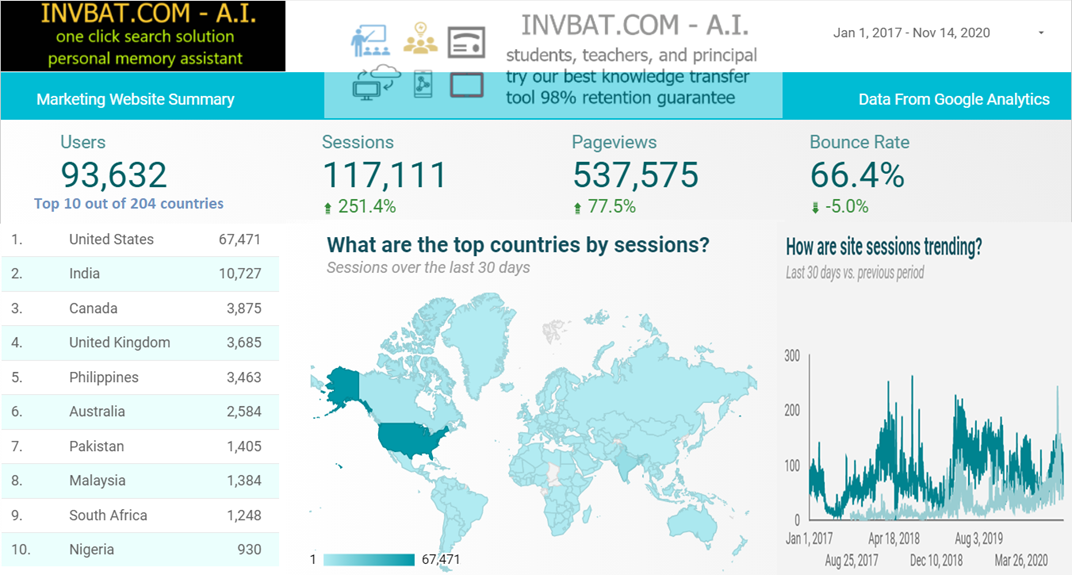
INVBAT.COM - A.I. + CHATBOT SERVICE USED IN 204 COUNTRIES


INVBAT.COM - A.I. is a disruptive innovation in computing and web search technology. For example scientific calculator help us speed up calculation but we still need to remember accurately the formula and the correct sequence of data entry. Here comes the disruptive innovation from INVBAT.COM-A.I. , today the problem of remembering formula and the correct sequence of data entry is now solved by combining formula and calculation and make it on demand using smartphone, tablet, notebook, Chromebook, laptop, desktop, school smartboard and company big screen tv in conference room with internet connection.

For web search , INVBAT.COM-A.I, is demonstrating that you can type text or use voice to text A.I. to search the web and get direct answer in one or two clicks. You don't need to waste your time looking from million of search results.

AVAILABLE CALCULATOR FOR SUBSCRIPTION